





Accessibility monitoringFor developers, built on WCAG and ADA

Accessibility monitoring for developers. Scheduled scans, code-level findings, MCP and local scanning.

tabnav scans your site against WCAG, ADA and EAA, explains every finding with code examples, and brings the results straight into your AI assistant over MCP. With local scanning, you check every fix before it goes live.

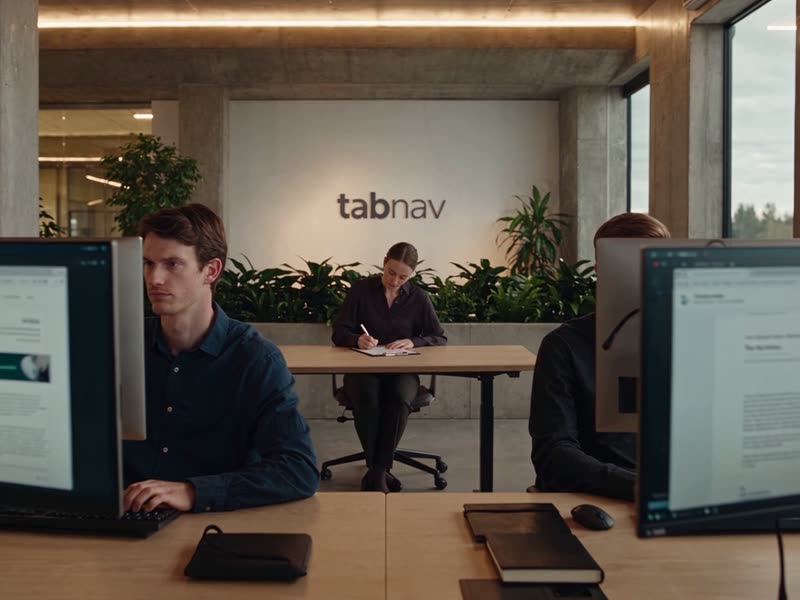
Developers working at their computers in an office
  • WCAG, ADA and EAAScheduled scans all year round
  • MCP integrationFindings right in your AI assistant
  • Local scanningCheck every fix before you deploy

Trusted by accessibility-first teams, from nonprofits to global retail brands

  • Greenpeace
  • Jaguar
  • Land Rover
  • SBK
  • Snüz
  • Walkative
  • Absolute
  • Lakewood Township
  • Silicon Valley Real Estate Team, Intero
  • Attorney General of Washington

What monitoring gives you

Not another report that gets lost in your inbox. Findings you can act on, from your dev environment and your AI assistant.

Comparison between a one-time scan report and tabnav accessibility monitoring
What you get One-time scan report tabnav monitoring
Automated scan against WCAG, ADA and EAA Included Included
Scheduled scans: daily, weekly or monthly Not included Included
An explanation, code snippet and fix examples for every finding Not included Included
MCP integration: findings right in your AI assistant Not included Included
Local scanning of your dev environment, through a tunnel Not included Included
A shared dashboard for the whole team, with progress tracking Not included Included

How it works

From your first scan to a site that stays accessible. Sign up, scan, fix from your AI assistant and test locally.

Create your account and run a scan

Sign up for free, add your site and scan your key pages. Within minutes you see where your site stands and every issue that was found.

  • Free sign-up, no credit card required
  • Scans against WCAG, ADA and EAA
  • Each issue scored by severity

Understand every finding

Every finding comes with the page, the code snippet, its severity, an explanation and code examples, plus a link to tabnav Academy for training on the WCAG guidelines.

  • The code snippet and page of every finding
  • Code examples and developer documentation
  • tabnav Academy, linked from the report

Fix from your AI assistant and test locally

Connect monitoring to Claude over MCP and get the findings and fix guidance right in the chat. After each fix, scan the site running on your machine through a tunnel, without deploying it.

  • MCP integration with Claude
  • Scans of localhost and dev environments
  • Check every fix before it goes live

Schedule scans and bring in your team

Set automated scans for every site or subdomain and get the reports by email. Invite your team to the dashboard, assign tasks by role and track progress.

  • Daily, weekly or monthly scans
  • Reports straight to your inbox
  • Permissions for every team member

New in tabnav

Two tools that make fixing faster. MCP for your AI assistant, and local scanning before every deploy.

MCP integration

Findings right in your AI assistant

Connect tabnav to Claude or any AI assistant that supports MCP. Your developers get the monitoring findings in the chat, with an explanation and fix guidance, and fix them in their own code.

  • Every finding from every scan
  • Ask, get an explanation and fix from your AI assistant
  • No copying findings out of a report

Local scanning

Scan your dev environment, without deploying

Through a secure tunnel, monitoring scans the site running on your machine, so every fix is checked right away, without deploying your site just to scan it again.

  • Scans of localhost and dev environments
  • Check every fix before it goes live
  • Fewer deploy-and-check rounds

The dashboard

Your site’s accessibility in one place. Reports, findings, progress and your team, in one dashboard.

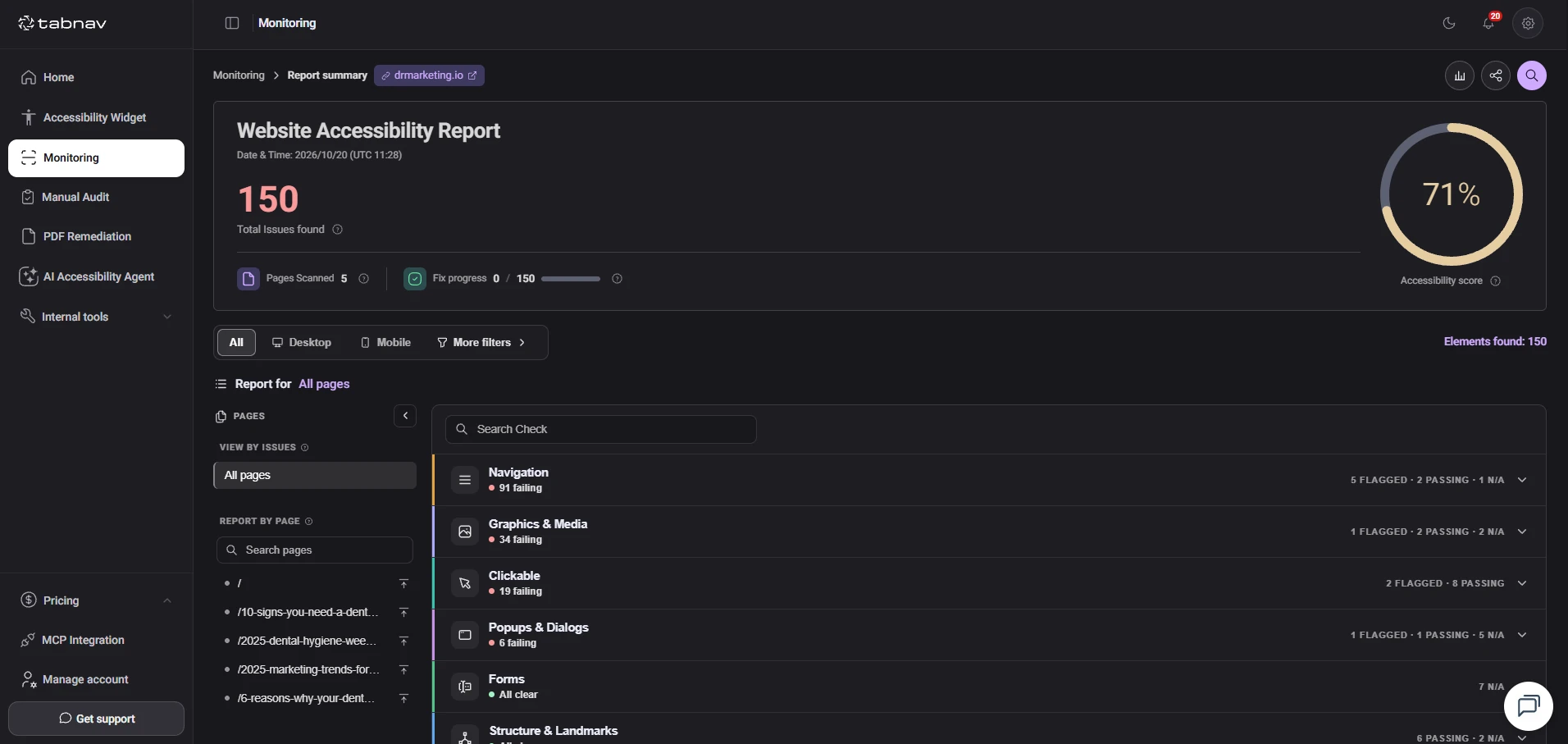
A report against WCAG at level AA, with an accessibility score, the number of findings and the progress of your fixes.

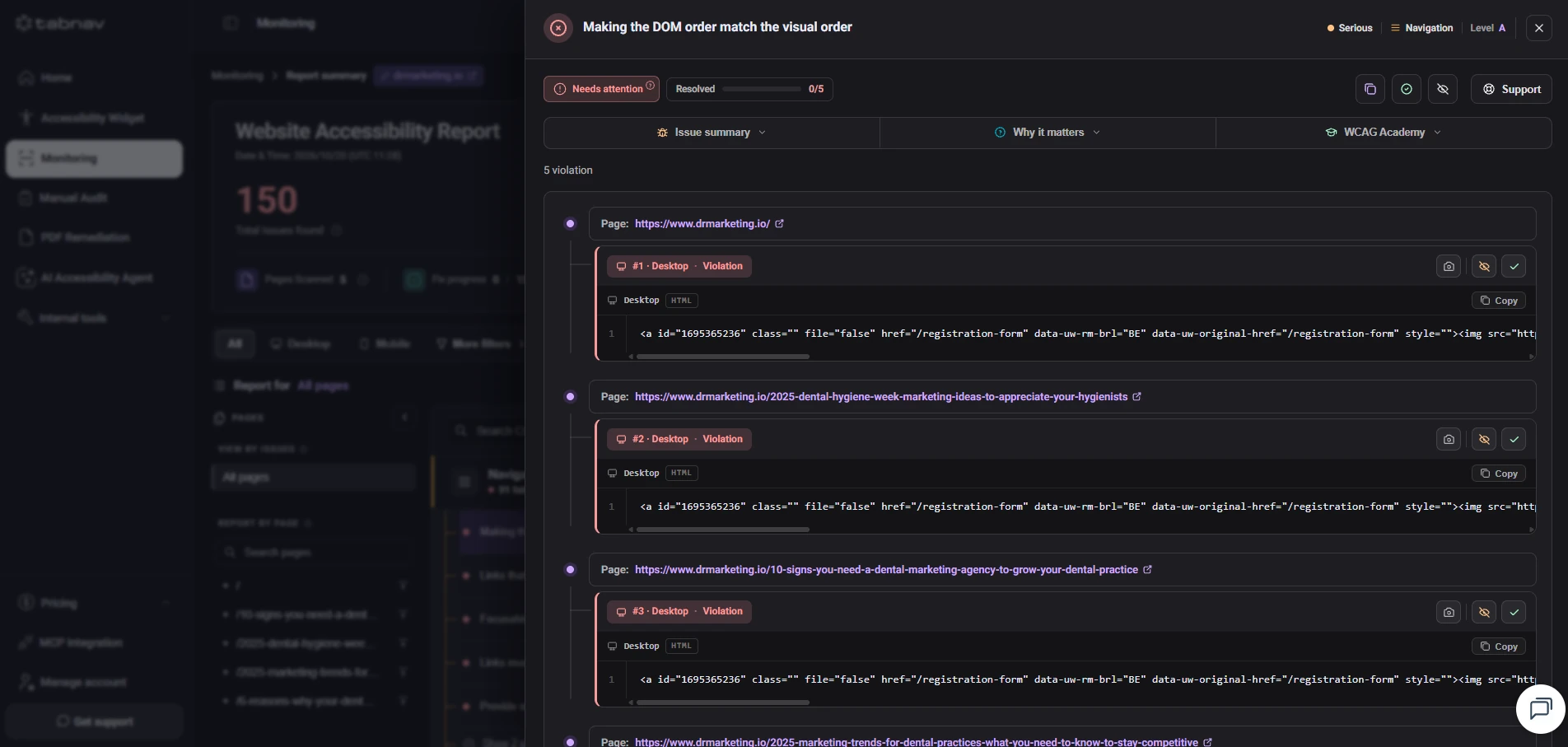
Each finding shows the code snippet, the pages it appears on, its severity and an explanation of how to fix it.

Every finding is recorded with a date, time and status, so you can follow your fixes and see the improvement over time.

One plan covers all your domains, with unique settings for each. Monitor an unlimited number of websites under one account.

The accessibility report in tabnav monitoring: score, number of findings and fix progress

FAQ

Accessibility monitoring questions

What does accessibility monitoring check?

tabnav monitoring scans your site against WCAG at level AA, along with ADA, AODA and EAA requirements, and records every finding with the page, the code snippet, its severity and an explanation of how to fix it.

What is the MCP integration?

MCP (Model Context Protocol) lets an AI assistant like Claude receive tabnav’s monitoring findings. Your developers see the findings in the chat, with an explanation and fix guidance, and fix them in their own code.

What is local scanning?

Through a secure tunnel, monitoring scans the site running in your development environment, for example on localhost, so you can check every fix without deploying your site.

Is there a free plan?

Yes. Free monitoring comes with a monthly page limit, no time limit and no credit card required. Paid plans start with Small Monitoring, which scans up to 100 pages a month.

Can I monitor more than one website?

Yes. One plan covers all your domains, with unique settings for each, at no extra cost.

Does monitoring replace a manual audit?

No. Automated scans find many issues, but not all of them. For WCAG conformance, combine monitoring with a manual audit by accessibility specialists using screen readers and keyboard navigation.

How often can scans run?

You choose: daily, weekly or monthly scans for each site or subdomain, with the reports sent straight to your inbox.

Start monitoring your site today.

Free trial, no credit card required. For large sites or high volume, talk to us about a custom plan.