Step 1
Generate Widget
Sign up and instantly get your unique widget code — free, no credit card required.

Set up tabnav's accessibility widget effortlessly. Boost your website ADA & WCAG compliance. Free forever, no credit card required.
Works on any platform
Shopify, WordPress, Webflow & more
Boost your accessibility score
Audit-ready accessibility layer
No technical level required
One script tag — you're live
We'll send your embed code and setup guide to this email.
We never share or sell your data. Used only to deliver your widget code.
Upgrade or downgrade anytime.
Monthly scans, always-on compliance, full feature set.
Core accessibility widget. No credit card, no expiry.
Enter the domains where your widget will be active.
No domains yet. Enter above and press Add domain.
After setup you'll customise the widget's appearance and get embed instructions.
Add at least one domain to continue
Free, no limits
Minutes to install
Languages supported
Installations worldwide
From signup to live accessibility widget — in under 2 minutes.
Sign up and instantly get your unique widget code — free, no credit card required.
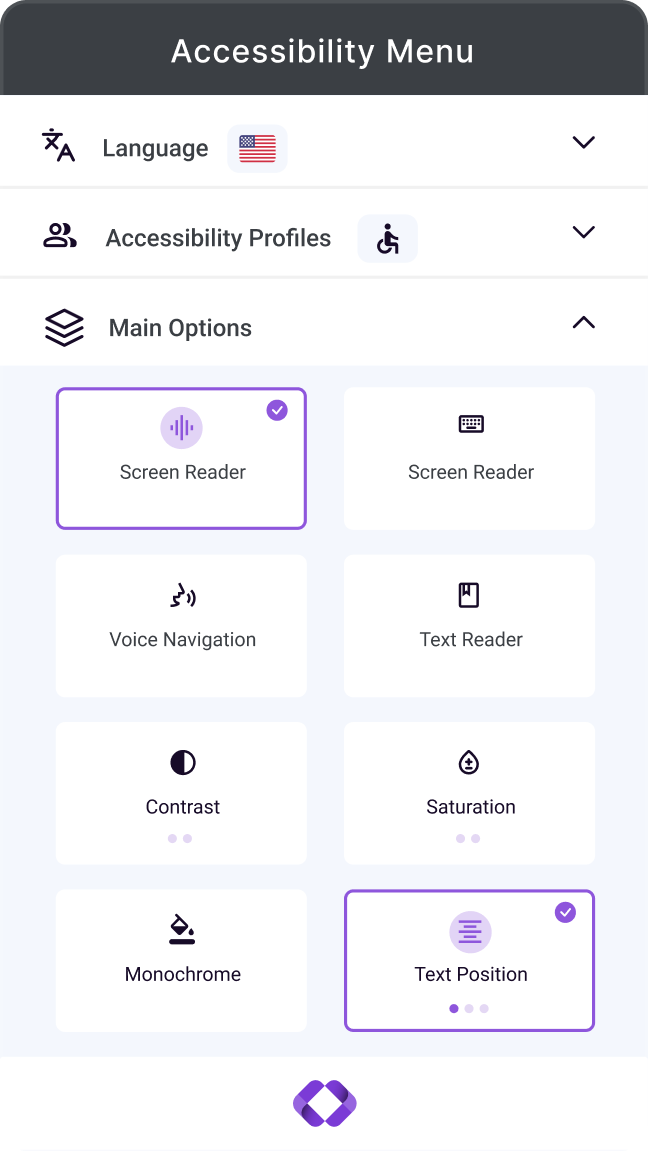
Choose colors, position, language, and accessibility features to match your brand.
Add one script tag to your website and start making your site accessible immediately.
Tabnav's free accessibility widget installs in seconds, supporting 40+ languages — aligned with WCAG and ADA standards.
Instant accessibility improvement
Widget goes live immediately after one script tag
Works on any platform
Shopify, WordPress, Wix, Squarespace & more
100% GDPR-compliant
No user data collected or stored
Complete suite of website accessibility tools to test, monitor, and improve your site's accessibility
Track accessibility over time. Assign fixes, collaborate with your team.
Add our free accessibility widget with text, contrast, and keyboard tools.

Check if your text has enough contrast and meets WCAG.
Check if your link colors have enough contrast to be easily identified.
Check if text on your image meets WCAG contrast.
Seamlessly integrates with all major CMSs and ecommerce platforms.
| Feature | Free forever Free widget $0 |
Most popular AI-widget $39/mo |
Tailored Custom Talk to us |
|---|---|---|---|
| Features | |||
| Monthly price | $0 | From $39/mo | Custom |
| Assistive technologies support | |||
| Monthly accessibility scan | |||
| Full customization (colors, position) | |||
| Accessibility statement | |||
| Accessibility profiles | |||
| Support & Benefits | |||
| Support included | |||
| WCAG updates | |||
| 24/7 priority support | |||
| Manual expert review | |||
| Get started | Get free widget | Start free trial | Let's talk |
"Tabnav has been a great experience. They helped our e-commerce website become fully compliant, and we now receive monthly scans to ensure we stay on track. Highly recommended."

Emily Johnson
Head of E-commerce, Perfect Look and Health
"The setup process was quick and straightforward. Their experienced team guided us every step of the way and were always ready to answer questions."
James Levi
Marketing Director, Window Armour
"Working with TabNav was surprisingly smooth! With a simple and short process, we were able to make our assets accessible in minutes — saving major effort, budget, and time."

Neta Silbiger
Marketing Director, Synergy
"Ease of setup and use — simple solution to implement across our sites, no disruption or dev time needed. Felt like a natural part of our brand from day one."

Dennis K.
Ecommerce Manager, Snuz



Explore real questions people ask about our free accessibility widget.
A free accessibility widget allows you to add basic accessibility adjustments to your website at no cost. Visitors can customize their browsing experience — text size, color contrast, text-to-speech, highlighted links, and more — without any changes to your site's code.
The free tabnav widget provides essential tools: color changes, contrast adjustment, text enlargement, animation controls, and more. The paid version adds advanced screen reader integration, a digital accessibility certificate, and monthly scans to keep your site compliant over time. View pricing →
Yes. The free tabnav widget automatically includes a digital accessibility statement displayed to visitors as part of the widget. This maintains transparency and easily shows your website's accessibility level to users.
Yes. The free tabnav accessibility widget works seamlessly with all types of websites — WordPress, Wix, Shopify, Squarespace, or custom-coded sites.
Installation takes less than 2 minutes. After completing the form above you'll receive a platform-specific installation guide. Copy one line of code, paste it into your website, and the accessibility button appears immediately.
Yes. You can customize the accessibility button's color, position, and language to integrate perfectly with your brand. The widget feels like a natural part of your site.
Takes less than 2 minutes to set up. Works on any platform, free forever.
Heads up
The free widget covers the basics, but every website is different — an expert can tell you exactly whether it meets the requirements for your specific site.
Contact one of our accessibility experts — no pressure, just clarity.
Contact an Expert